How to Control Job Visibility & Status
Control who can see your openings and manage their active/inactive status.
Job Status: Active vs Inactive
Active Jobs
- Appear in the "Active" tab
- Can receive new applications
- Candidates can take interviews
- Visible to candidates (if set to Public)
Inactive Jobs
- Appear in the "Inactive" tab
- New applications are paused
- Existing interviews remain accessible
- Hidden from public view
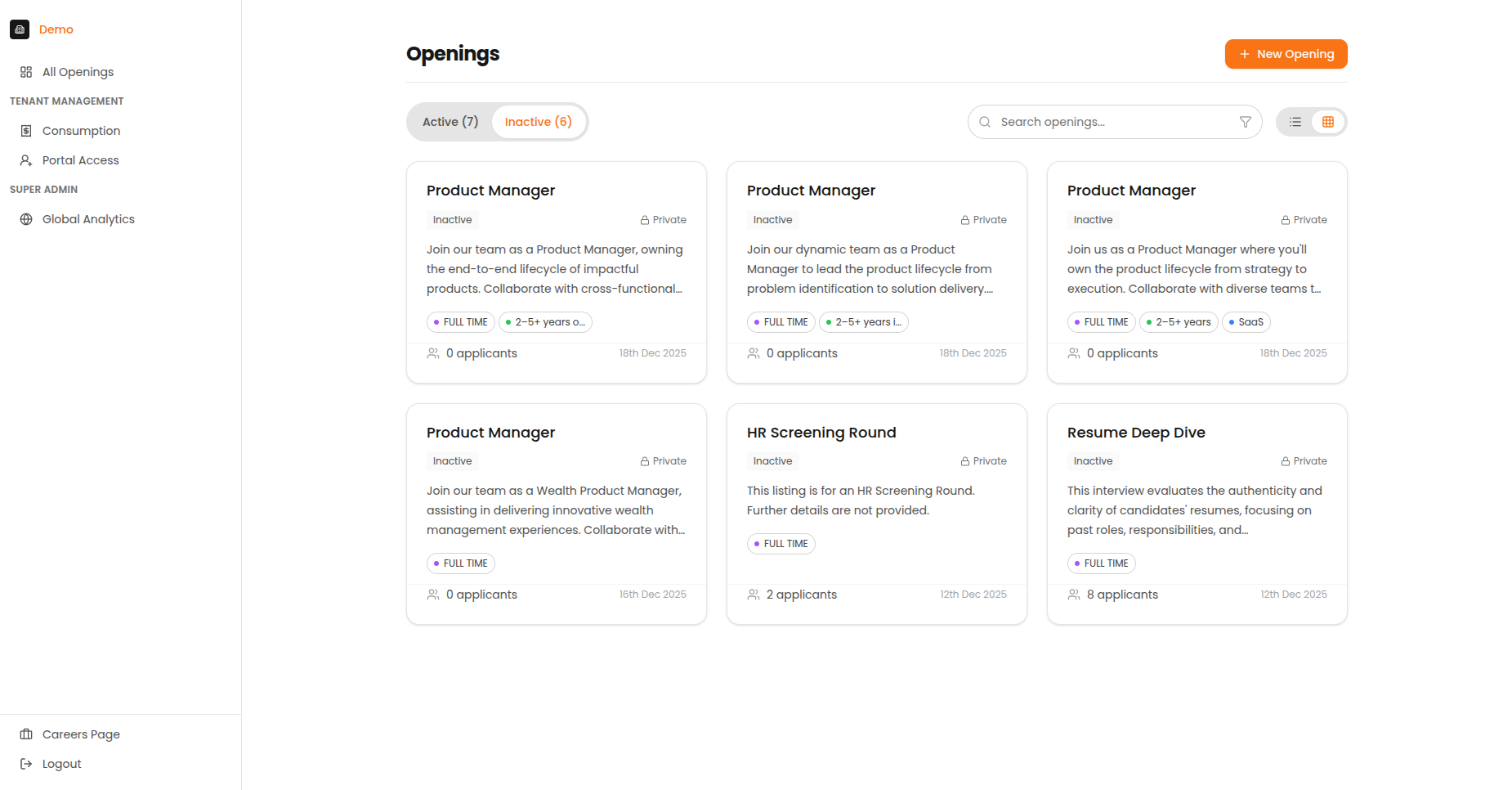
The Inactive tab shows closed or paused job postings.
Changing Job Status
- Go to the job's Settings page
- Find the Job Status toggle
- Switch between Active and Inactive
When to Deactivate
- Position has been filled
- Hiring is temporarily paused
- Budget constraints
- Role requirements are changing
Job Visibility: Public vs Private
Invite Only (Private) - Default
- Only candidates you invite can access the opening
- The opening doesn't appear on your public careers page
- You must send candidates a direct link or invitation email
Best for:
- Confidential roles
- Referral programs
- Targeted hiring
- Executive searches
Public
- The opening appears on your public careers page
- Anyone with the link can apply
- Great for high-volume hiring
Best for:
- Open positions
- Campus recruiting
- Mass hiring campaigns
- Entry-level roles
Important
You must create an interview plan before you can make an opening public.
Common Visibility Scenarios
| Scenario | Visibility | Status |
|---|---|---|
| Open public hiring | Public | Active |
| Referral-only position | Private | Active |
| Temporarily paused hiring | Any | Inactive |
| Filled position (keep for records) | Private | Inactive |
| Confidential executive search | Private | Active |
Changing Visibility
- Go to the job's Settings page
- Find the Visibility toggle
- Switch between "Invite Only" and "Public"
Before Making an Opening Public
Ensure you have:
- Created an interview plan
- Set scoring criteria
- Configured interview monitoring settings
- Tested with a simulation
- Reviewed the job description
Impact on Candidates
| Action | Impact on Existing Candidates |
|---|---|
| Deactivate job | Can still complete started interviews |
| Make private | Existing links continue to work |
| Make public | Opening appears on careers page |
| Reactivate job | New applications can be received |