How to Design Your Interview
Set up your interview in five steps: define your objectives, build interview sections, set scoring criteria, configure interview monitoring, and test it out.
Important
You must create an interview plan before you can invite candidates or make an opening public.
What is an Interview Plan?
An Interview Plan is your blueprint for how the AI should conduct interviews. It includes:
- Interview Structure - The sections and order of the interview
- Questions and Topics - What the AI should ask about
- Scoring Criteria - How candidates should be scored
- Settings - Interview monitoring rules and candidate instructions
The Five-Step Process
| Step | Purpose | What You Do |
|---|---|---|
| 1. Overview & Objectives | Define what you're assessing | Write a clear interview objective |
| 2. Interview Sections | Build interview stages | Add sections, questions, topics |
| 3. Scoring Criteria | Set scoring standards | Define scoring guides and scales |
| 4. Interview Monitoring & Security | Configure security | Enable camera, screen share, etc. |
| 5. Test Your Interview | Test before launch | Preview the candidate experience |
Step 1: Overview & Objectives
The Interview Objective tells the AI what to assess. This is critical for relevant question generation.
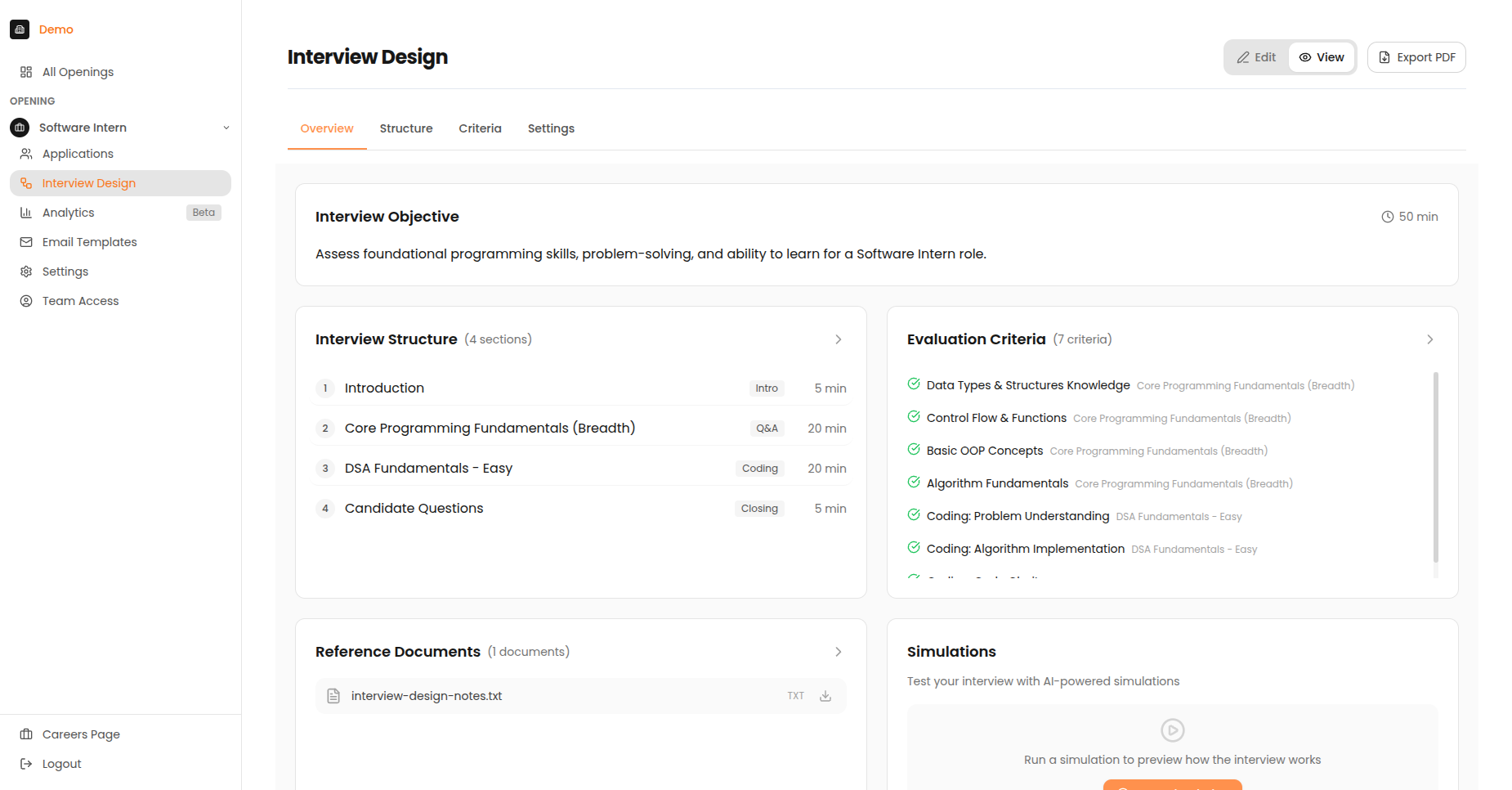
The Interview Design Overview showing the objective, structure summary, and scoring criteria.
Writing a Good Objective
Do:
- Be specific about skills to assess
- List 3-5 key competencies
- Include both technical AND soft skills
- Mention culture fit elements if relevant
Avoid:
- Vague terms like "good fit"
- Long paragraphs
- Focusing only on technical abilities
Good Objective Example
"Assess SQL proficiency, data visualisation skills, communication clarity, and problem-solving approach for a customer-facing analytics role."
Poor Objective Example
"Find a good data analyst who can do the job well."
Step 2: Interview Sections
The Three-Panel Layout
| Panel | Position | Purpose |
|---|---|---|
| Section Library | Left | Available sections you can add |
| Interview Builder | Centre | Your interview structure |
| Settings Panel | Right | Edit the selected section |
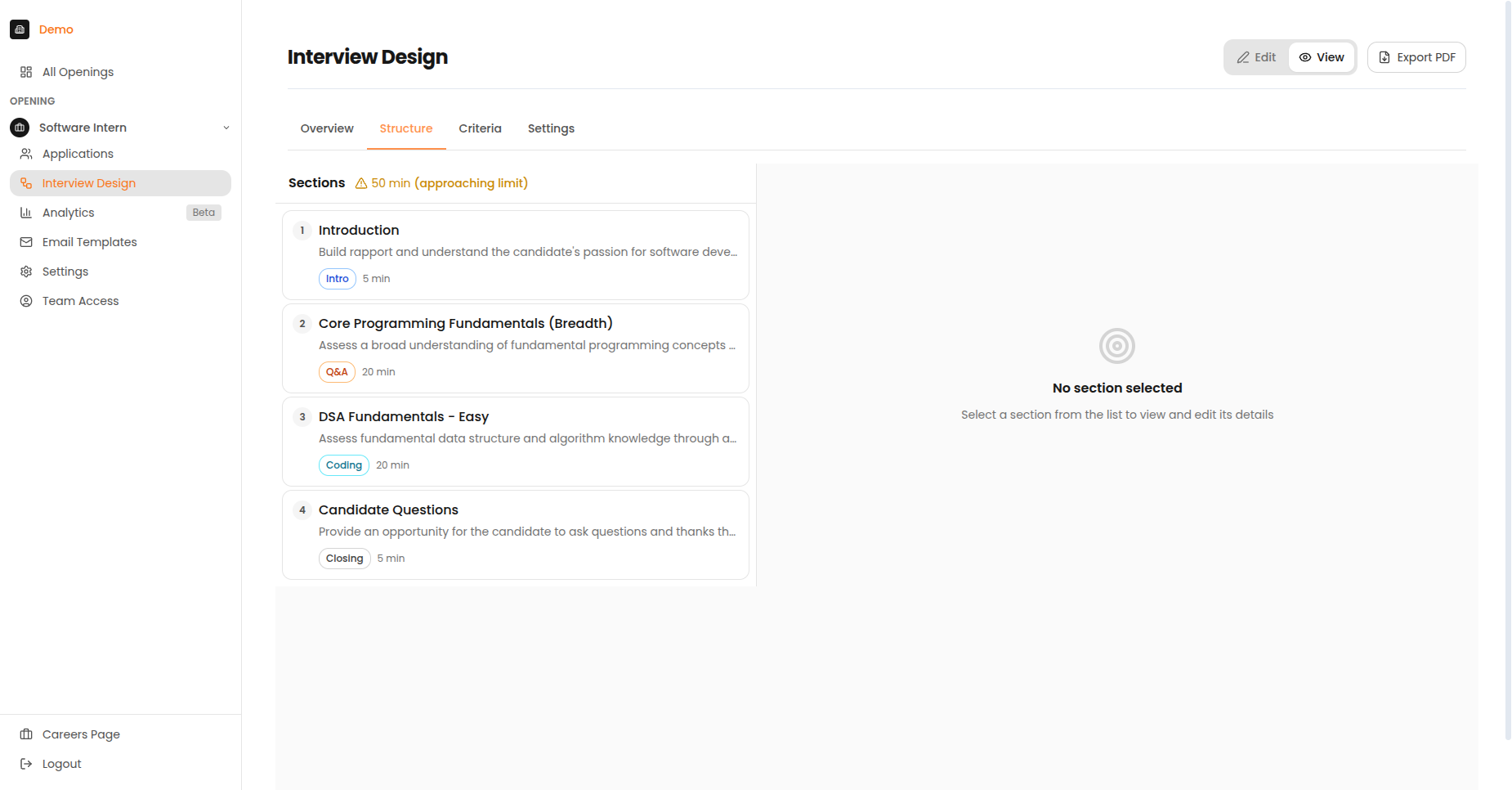
The Structure tab showing interview sections with their types and durations.
Typical Interview Stages
| Stage | Purpose | Duration |
|---|---|---|
| Introduction | Warm up, explain process | 2-5 min |
| Background Q&A | Learn about experience | 10-15 min |
| Technical Questions | Assess domain knowledge | 10-20 min |
| Coding Challenge | Evaluate problem-solving | 20-30 min |
| Candidate Q&A | Answer their questions | 5 min |
| Closing | Wrap up, next steps | 2-3 min |
Section Types Available
| Section Type | Best For | Features |
|---|---|---|
| Multiple Choice Q&A | Knowledge screening | Auto-graded, quick |
| Code Pad | Technical assessment | Live coding, syntax highlighting |
| Video Response | Behavioural questions | Async, reviewable |
| Async Task | Take-home assignments | Deadline-based |
| Case Study | Problem-solving | Document analysis |
| Live Deep Dive | In-depth discussion | Real-time interaction |
Duration Limit
Total interview length is limited to 60 minutes.
Step 3: Scoring Criteria
Criteria Types
| Type | Badge | Description |
|---|---|---|
| Interview-wide | Purple | Applies to entire interview |
| Section-specific | Blue | Applies only to one section |
Scoring Scales
| Scale Type | When to Use | Example |
|---|---|---|
| 1-5 Scale | Nuanced assessment | 1=Poor, 3=Meets, 5=Exceeds |
| Pass/Fail | Binary requirements | Must-have qualifications |
| Percentage | Quantitative tasks | Code test accuracy |
| Detailed Scoring Guide | Detailed evaluation | Multi-level descriptions |
Step 4: Interview Monitoring & Security
Live Meeting Checks
| Setting | Default | Description |
|---|---|---|
| Require Camera | ON | Candidates must keep camera on |
| Require Screen Share | OFF | Candidates must share entire screen |
| External Monitor Detection | OFF | Flag if candidate connects extra display |
Pre-Meeting Checks
| Check | What It Verifies |
|---|---|
| Browser | Supported browser (Chrome recommended) |
| Camera | Camera is working |
| Microphone | Mic is working |
| Network | Stable internet connection |
Recommended Monitoring Settings by Role Type
| Role Type | Recommended Settings |
|---|---|
| Entry-level | Camera only |
| Mid-level | Camera + Screen share |
| Senior/Leadership | Camera + Screen share + Monitor detection |
| High-security | All options enabled |
Step 5: Test Your Interview
Always test before launching!
Run a simulation before inviting real candidates.
What to Check
| Check | What to Look For |
|---|---|
| Timer | Countdown works, warnings appear |
| Navigation | Next/back buttons work |
| Questions | Text renders correctly |
| Attachments | Images load, files downloadable |
| Code Editor | Syntax highlighting works |
| Video | Camera prompt appears |
| Submission | Final submit works |
Best Practices
- Keep it under 60 minutes - Attention drops after an hour
- Start with easy questions - Help candidates warm up
- Include mandatory questions - Ensure consistency
- Test with simulations - Always test before going live
- Set clear criteria - Makes scoring more objective