How to Add Candidates
Learn how to invite candidates to your interviews using direct links or bulk CSV (a spreadsheet file you can create in Excel or Google Sheets) uploads.
Option A: Individual Candidate (Direct Link)
Share a unique interview link with individual candidates.
Steps
- Go to your opening in the platform
- Click "Add Candidates" in the sidebar
- Click "Direct Link" option
- Copy the unique interview URL
- Share via email, social media, or messaging
When to Use
- Referral candidates
- Passive candidates you've sourced
- Candidates from job boards
- One-off invitations
Option B: Bulk Upload (CSV)
Upload multiple candidates at once using a CSV file.
CSV Column Format
| Column | Required? | Description |
|---|---|---|
| Yes | Candidate's email address (must be unique) | |
| Name | No | Full name of candidate |
| Phone | No | Phone number |
| Experience | No | Years of experience |
| Resume Link | No | URL to resume |
| Notes | No | Internal notes |
Example CSV
email,name,phone,experience
john.doe@example.com,John Doe,+1234567890,5
jane.smith@example.com,Jane Smith,+0987654321,3
Upload Steps
- Go to your opening in the platform
- Click "Add Candidates" in the sidebar
- Select "Bulk Upload"
- Drag and drop your CSV file or click to browse
- Review the preview and mapping
- Click "Upload"
For detailed CSV upload instructions, see the CSV Upload Guide.
Applications Dashboard
The Applications page shows all candidates for an opening, organised by their interview status.
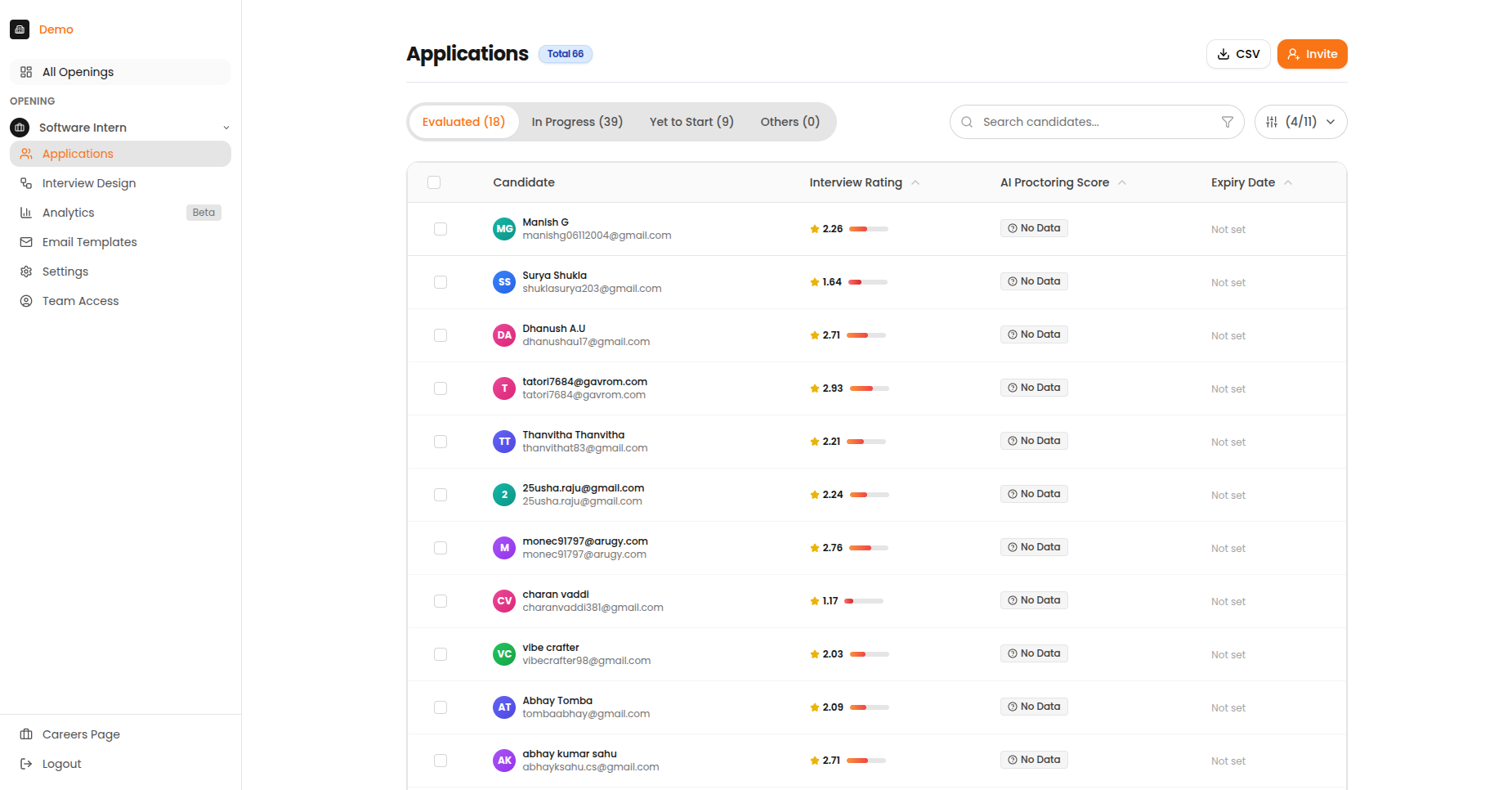
The Applications page showing evaluated candidates with their scores and status.
Status Tabs
| Tab | Description |
|---|---|
| Invited | Candidates who received an invitation but haven't started |
| In Progress | Candidates currently taking their interview |
| Evaluated | Completed interviews with AI-generated scores |
| All | View all candidates regardless of status |
Understanding Candidate Status
| Status | Meaning | Action Needed? |
|---|---|---|
| Invited | Email sent, hasn't started | Wait or send reminder |
| Started | Began interview | Monitor progress |
| In Progress | Partially completed | May need follow-up |
| Abandoned | Stopped mid-interview | Consider re-engagement |
| Completed | Finished interview | Review results |
| No Show | Deadline passed, never started | Close or extend |